

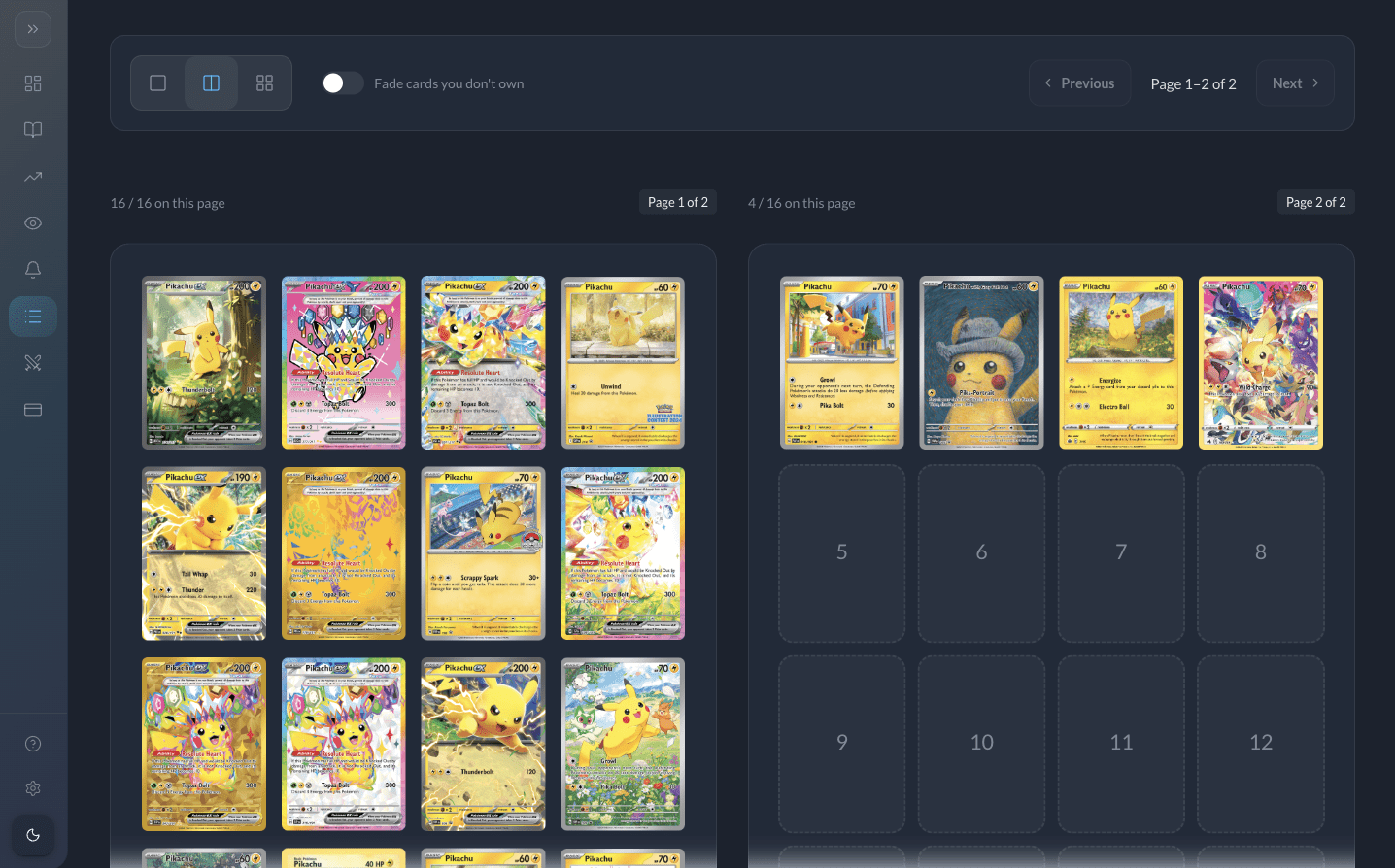
Binder view turns any eligible list into a paginated binder: think rows of slots, page breaks, and drag-and-drop reordering so digital organizing feels closer to a physical collection album. This mode is a Pro-only feature.
Why it matters
- Showcase trade binders or personal sets the way you would at an event.
- Reorder cards without hunting through flat tables.
- Choose how many slots appear per page (within the options the editor provides).
How to think about limits
Even in binder view, the number of cards you can place in a list still follows membership rules: 100 cards per list on Free versus 360 per list on Pro, and one list total on Free versus ten lists on Pro. Binder view simply changes presentation—it does not bypass those caps.
Unlock binder view
Upgrade to Pro for binder mode plus higher per-list card limits.
- Binder layout with paging and drag-and-drop
- Up to 10 lists and 360 cards each
Not Pro yet? Compare plans and upgrade.
Still need help?
Our team and the community are happy to point you in the right direction.
- Join us on Discord for quick questions, feature discussion, and updates.
- Email [email protected] for account or billing questions and detailed support.